Functions
Every function has a reason on the site
The order on this page follows the working day: record, check, document, bill, report.
Record
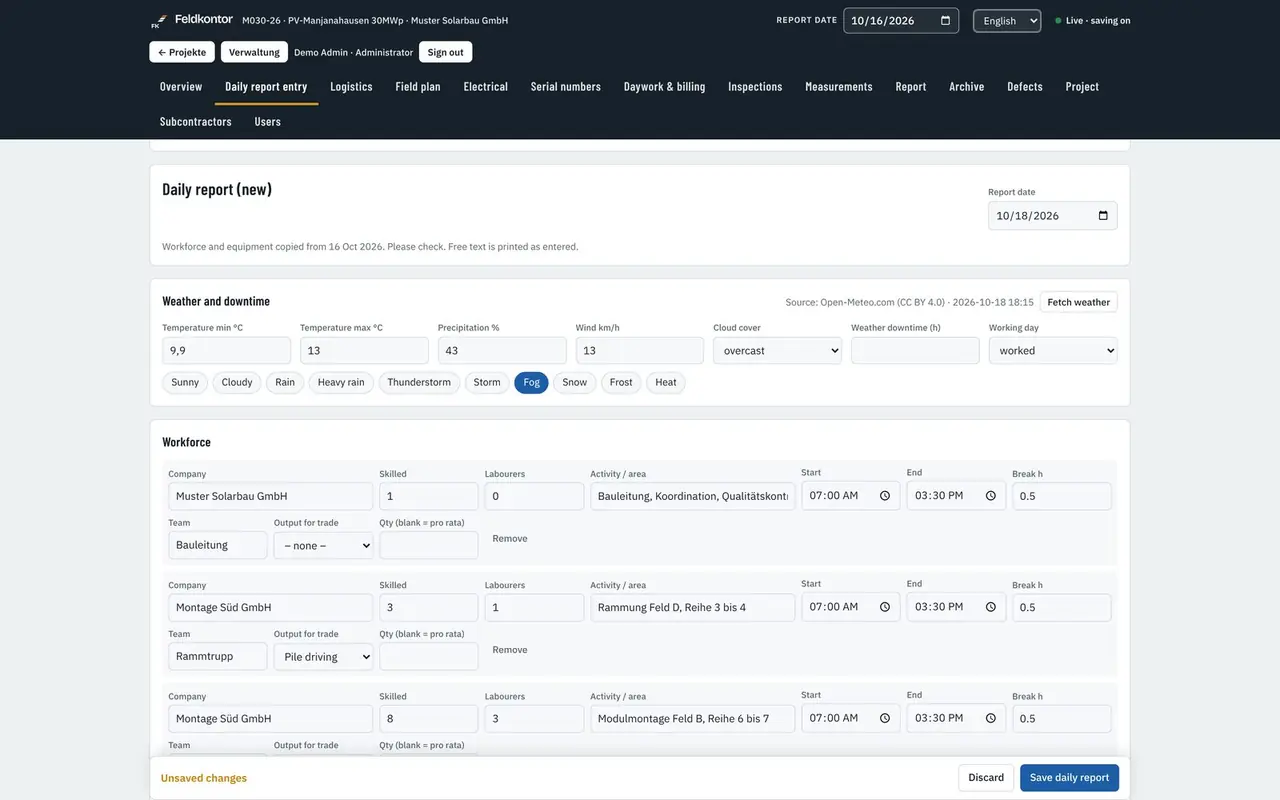
Daily site report
Once a day, what happened is put on record. Personnel by skilled worker and helper, equipment with operating hours, weather, work done per trade, incidents, disruptions and photos. After approval the report goes to the client as a PDF, in the language requested.
- Separate internal report, internal photos only there and marked as internal
- Weather is entered by the server from the coordinates of the site
- Approval by site management, after which the report cannot be changed
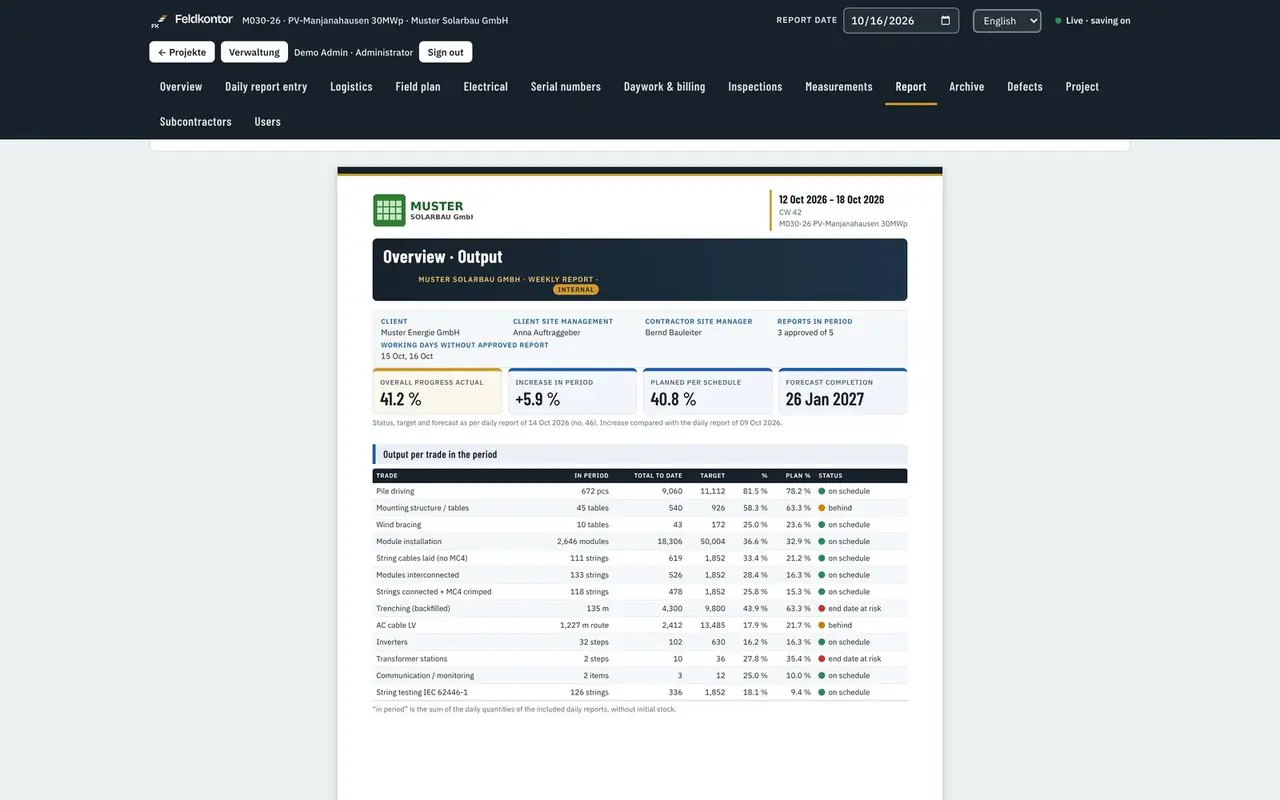
- Weekly and monthly report at the press of a button from approved daily site reports
Record
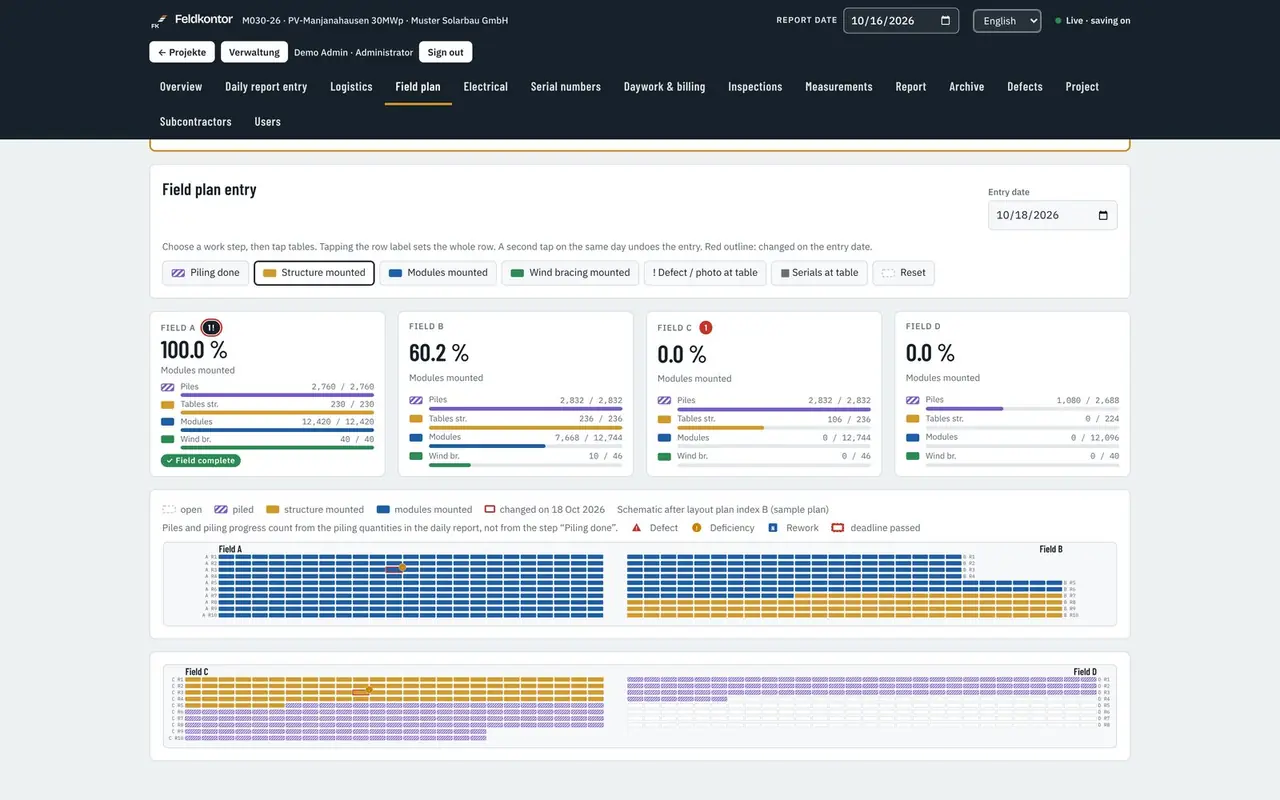
Field layout and construction status
The field layout shows every table in the position of the pile driving plan. One tap sets the work step: pile driving, mounting structure, modules, wind bracing, slope bracing. The completed step turns green and shows the completion date. What is done is not shown by colour alone but by a mark and a date.
- A whole row, a whole sub-field or a whole inverter area with one tap
- Sub-fields with their own counters for piles, tables, modules and strings
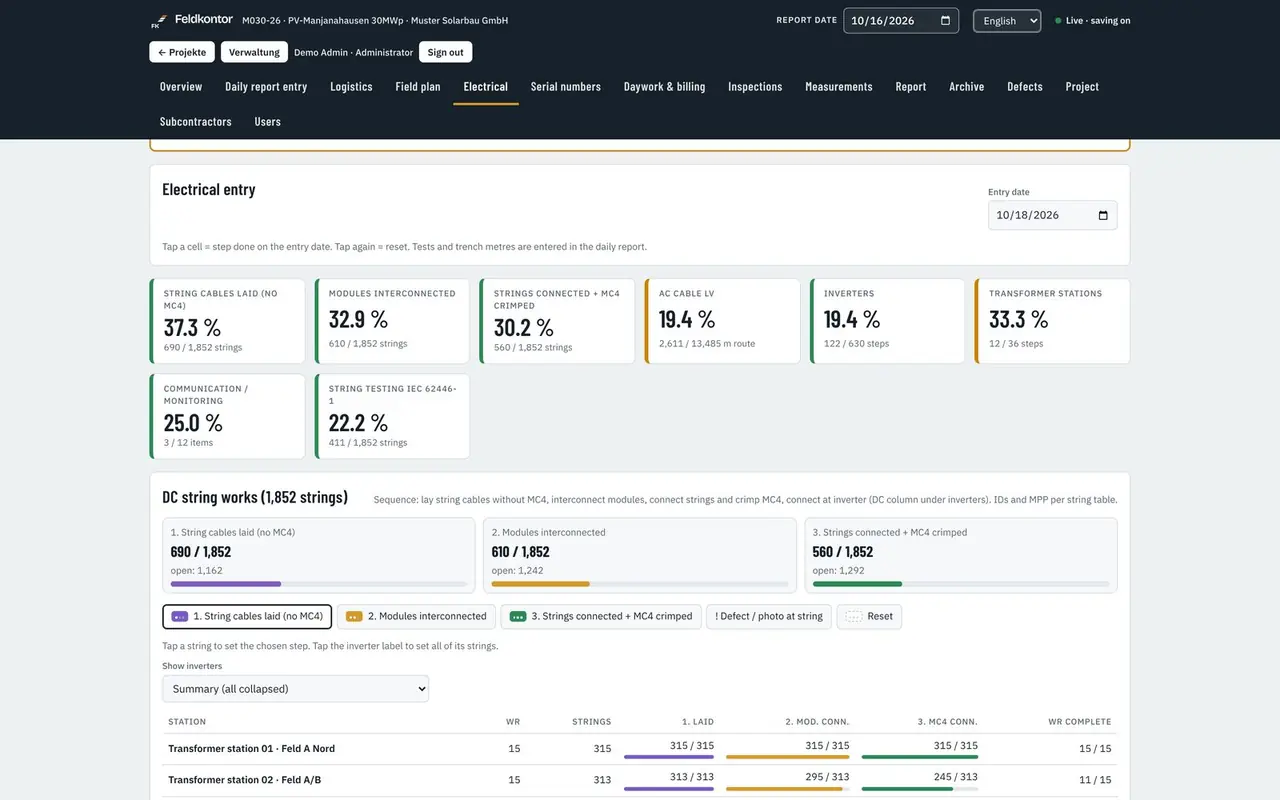
- DC string work in three steps: laid without MC4, modules connected, strings connected and MC4 crimped
- Defects are marked clearly in the field layout without hiding the construction status
Record
Electrical, inverters and transformer stations
For every inverter and every transformer station the state of the work is visible: DC connection, AC connection, communication, medium voltage. Without a station in place there is no MV connection. The design check compares string voltage and current with the data sheets of the module and the inverter.
- Station table without sideways scrolling, on the phone as well
- Design check against Voc, Isc and the permitted system voltage
- Equipment with condition and total operating hours, marked as service required
- AC and communication cable pulling with lengths from the cable schedule
Check and document
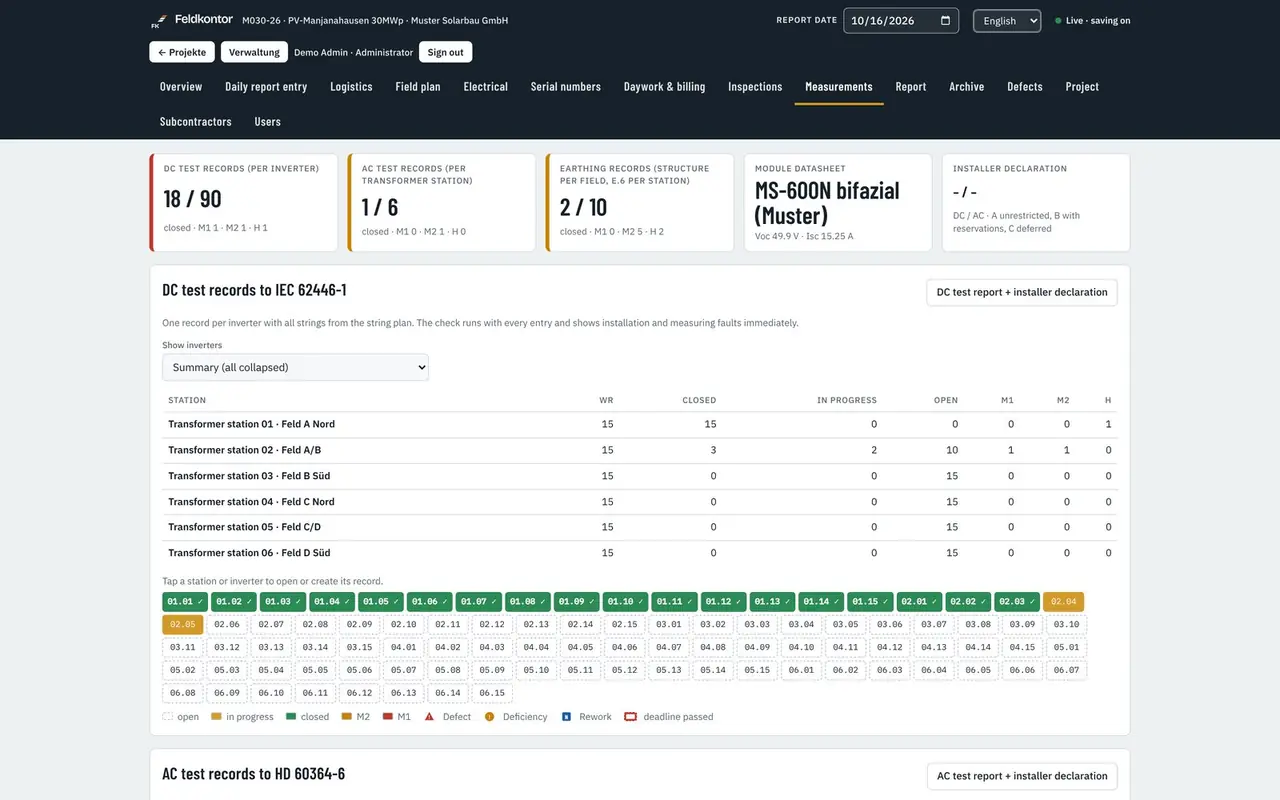
Measurement and test records
The DC test record, the AC test record and the earthing test record belong to every project, filled with the strings and stations from the controlling data. While they are being filled in, the application checks the values at once and shows the qualified electrician any unusual measurements and possible installation faults.
- DC and AC to DIN EN 62446-1, earthing to VDE-AR-N 4110 Annex E.6
- Test report and installer's declaration per trade as a PDF
- Test checklist per trade with signature, defect rectification with the signature of site management
- Collected report for handover with all test records, handover record and installer's declaration
The records and checks in the application are aids to documentation. The measurement and the technical assessment are the responsibility of the customer's qualified electrician.
Check and document
Defects
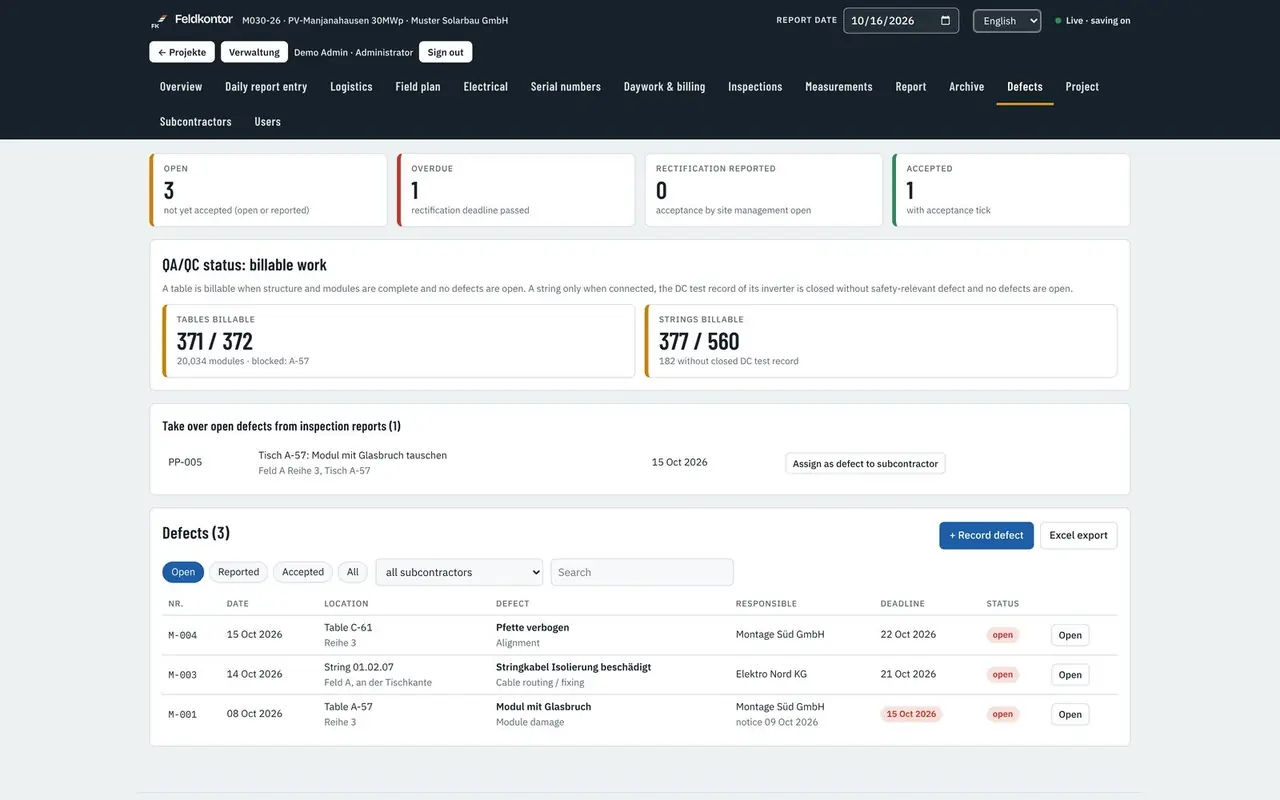
A defect is raised where it is found: at the table in the field layout or at the string under Electrical. With photo, deadline, responsibility and subcontractor. The application sends a reminder before the deadline runs out and records who confirmed the rectification.
- Notice of defects as a prepared letter, deadlines per subcontractor
- Reminder by e-mail to the subcontractor, site management and project management
- Excel export of all defects with status and deadline
- Rectification is signed off by site management
Check and document
Serial numbers
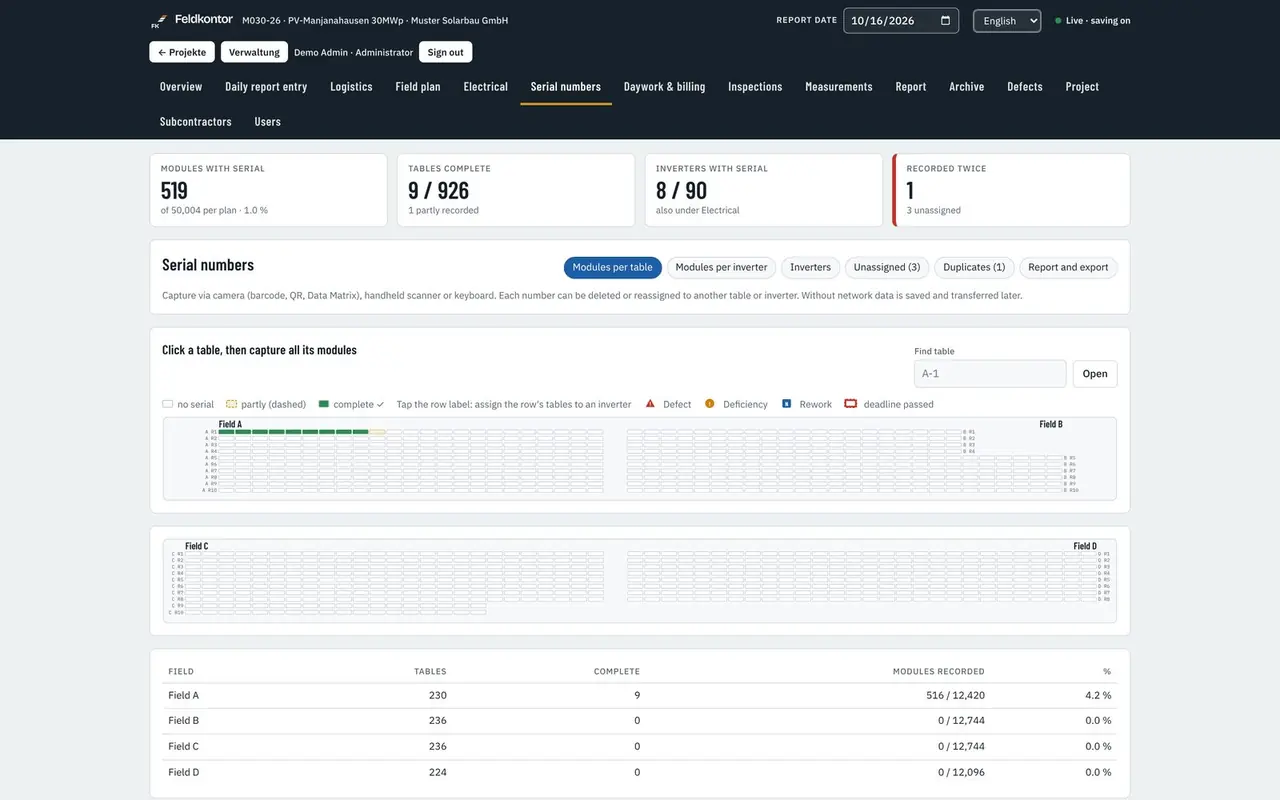
Tap the table, record the modules with the camera, a hand scanner or the keyboard. Per table or per inverter. The serial number of the inverter comes from the rating plate. Duplicate numbers are reported.
- Capture with the phone camera or with a hand scanner
- Assignment to table, row and inverter
- Duplicate numbers reported while recording
- Report as PDF and Excel for the handover
Steer
Progress, target against actual and forecast
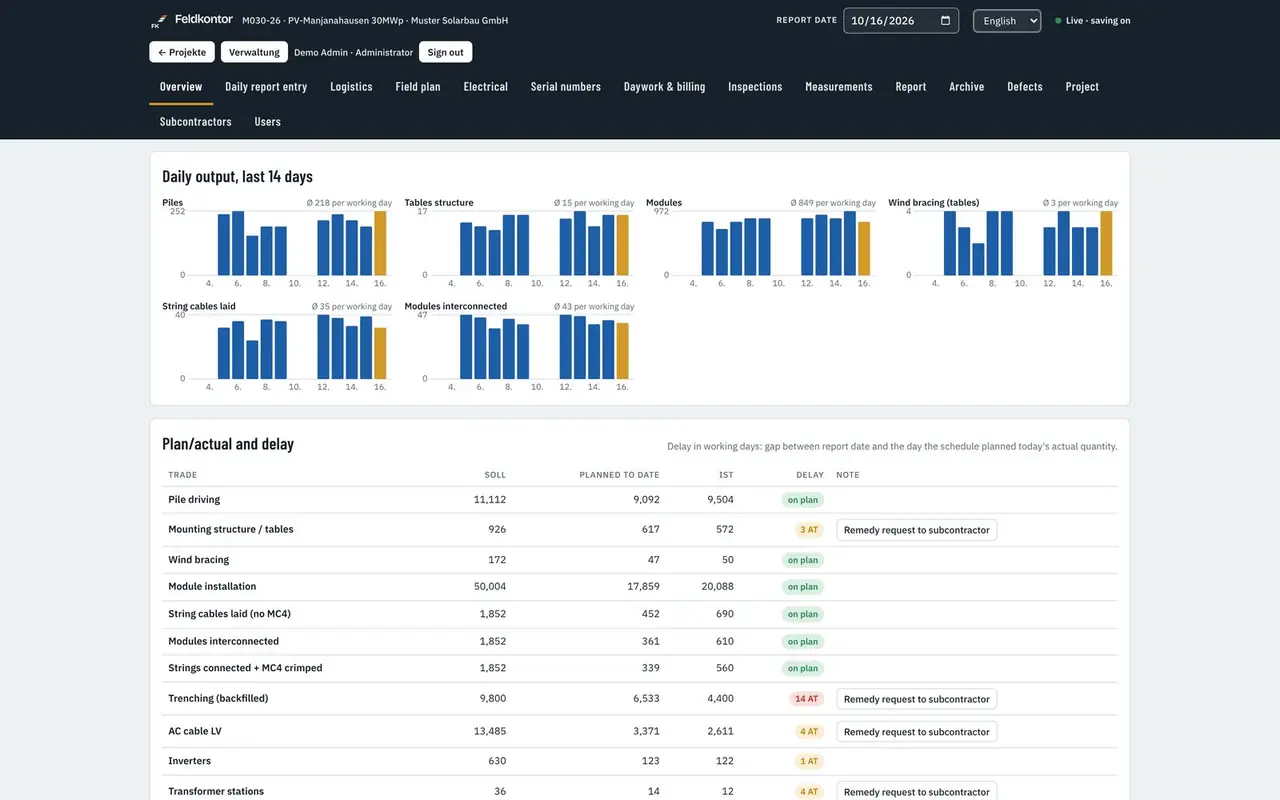
Progress is weighted across all trades and set against the programme. From the work actually recorded over the last working days a completion date is derived per trade. The basis is the working week and the public holidays of the federal state.
- Delay in working days per trade, the averaging period for daily output can be set
- Multi-project overview for everyone who is assigned to more than one project
- Traffic-light indicator for the client can be switched on in the weekly and monthly report
- Output per crew, per person and per hour
Bill
Subcontractors, daywork and variation orders
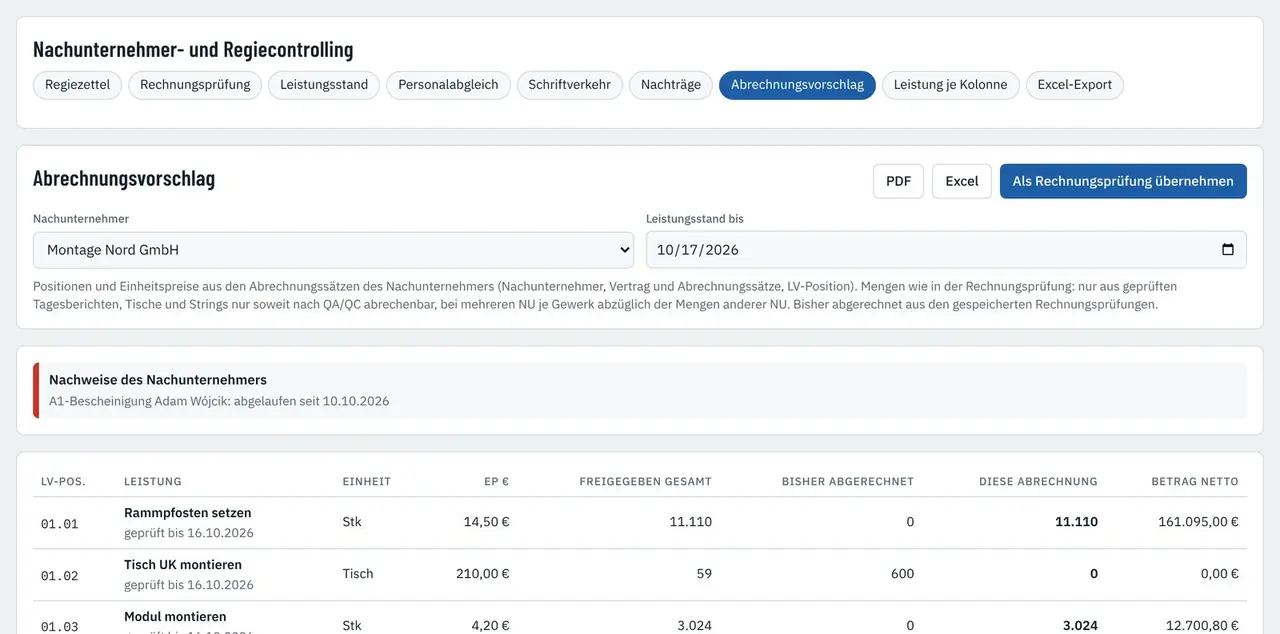
From the checked work a billing proposal is produced per subcontractor, with the bill of quantities item and the unit price. The variation order register records the notification, status, amount and reply deadline, with a reference to the daywork sheet and the notice of delay.
- Invoice check against the state of the work and the measurement record
- Daywork sheet signed on the phone
- Expiry warning for subcontractor records including the A1 certificate
- Excel export for quantities, state of the work, daywork, defects, variation orders and crews
Report
Reports, printing and archive
Every report can be produced as a PDF, in five languages and with an SHA-256 checksum. The archive holds all daily site reports and test records of the project, with filters, search and duplicate printing.
- The report language can be chosen per report, independently of the interface language
- Checksum for every PDF produced, with a check page in the administration area
- Deleted photos, test records and daily site reports stay in the archive for 120 days
- Footer with version and build date on every printed page
All services and functions at a glance
The complete list of all functions with a short explanation, to read on screen, to print or to save. Prices and terms are stated in the offer.